

Cloud computing defined can feel abstract at first. It often does. But the idea itself is practical. Grounded. In simple terms, cloud computing is the on-demand delivery of computing services over the internet. These are services that allow people and organisations to access computing resources. Things like servers and storage. Like databases, networking, and software without needing to own or manage all the hardware behind them. That shift matters more than it first appears. It changes cost structures. Speed. Reach. Even expectations. This guide to cloud computing looks at how it works, why companies are using the cloud, and where it quietly fits into daily operations and longer-term change.
What Does Cloud Computing Actually Mean?
Cloud computing is the delivery of computing services over the internet. Usually with pay-as-you-go pricing. Simple in wording. Less simple in impact. A cloud computing service gives access to storage, databases, networking, analytics, and computing power without forcing a business to buy, run, and maintain every server itself, and provide power and cooling to those devices. That is the core point. A cloud service provider hosts and manages the underlying infrastructure in remote facilities, then makes those capabilities available when needed. So instead of building everything internally, organisations use the cloud to access cloud computing resources quickly, scale when required, and keep work moving without unnecessary friction.
Everyday examples of cloud computing
Most people use cloud services without pausing to name them. Email platforms, music streaming, online file sharing, video calls, backup tools, and a cloud application on your phone all depend on services over the internet rather than software living only on one machine. That includes software in the cloud such as webmail, document editing, maps, and synced photo libraries. Data in the cloud can be reached from different devices, which is why work started on a laptop can continue on a tablet later. Quietly, the cloud is one of the main structures behind everyday digital convenience.
Why cloud computing matters today?
Cloud computing matters today because it gives organisations faster access to tools, stronger flexibility to scale resources up or down, and room to respond without building everything from scratch. Cloud computing provides a way to launch services quickly, support remote work, handle changing demand, and use advanced capabilities that once required major capital investment. That matters more now. Businesses need speed, resilience, and the ability to adapt. A cloud solution can support innovation without forcing long procurement cycles, while a broader shift to the cloud also helps organisations connect staff, customers, systems, and data more efficiently across locations, devices, and workloads in the cloud.
Origins of Cloud Computing
The origins of cloud computing go back to early ideas about global networking in the 1960s, particularly work linked to J.C.R. Licklider. Still, the modern cloud took clearer shape much later. IBM notes that major commercial progress arrived in the early 2000s, when Amazon Web Services began offering cloud-based storage and computing, followed by the launch of EC2 in 2006. Google also introduced productivity software in that period, and Microsoft followed with SaaS offerings later. What looks ordinary now came from decades of technical development, commercial refinement, and changing business expectations.
Cloud Computing Components
A cloud computing architecture depends on several connected parts working together rather than one single tool. IBM highlights data centres, networking capabilities, and virtualisation as core components of modern cloud systems. These pieces support the delivery of computing resources, help move workloads between environments, and make cloud resources available with flexibility and scale.
Beneath the surface, cloud providers host and manage physical hardware, network links, power, cooling and software layers that abstract those assets into usable services. That is what makes the cloud model effective. It separates what users need from the complexity of owning and maintaining the whole stack.
- Data centres – Physical sites. Not abstract. They store and process data, house servers, implement redundancy and support applications running continuously, often across regions, without interruption.
- Networking capabilities – Connections matter. Data moves between users, systems, and services through secure networks, ensuring access, speed, and consistent communication across distributed environments.
- Virtualisation – One machine, many environments. Resources are divided, allocated, and reused. It improves efficiency, flexibility, and control without relying on separate physical systems.
Who is Using Cloud Computing?
Cloud computing is used by organisations of almost every size and sector. AWS and Microsoft point to healthcare, financial services, gaming, software development, analytics, disaster recovery, and customer-facing web applications as clear examples. That range tells the story. This is not niche technology for one industry. It supports startups, global firms, public bodies, and digital-first brands alike.
Different organisations use different computing models depending on risk, budget, and operational goals, but the pattern is broad: many cloud providers now support everything from experimentation and development to fraud detection, collaboration, storage, and large-scale user experiences across major cloud markets.
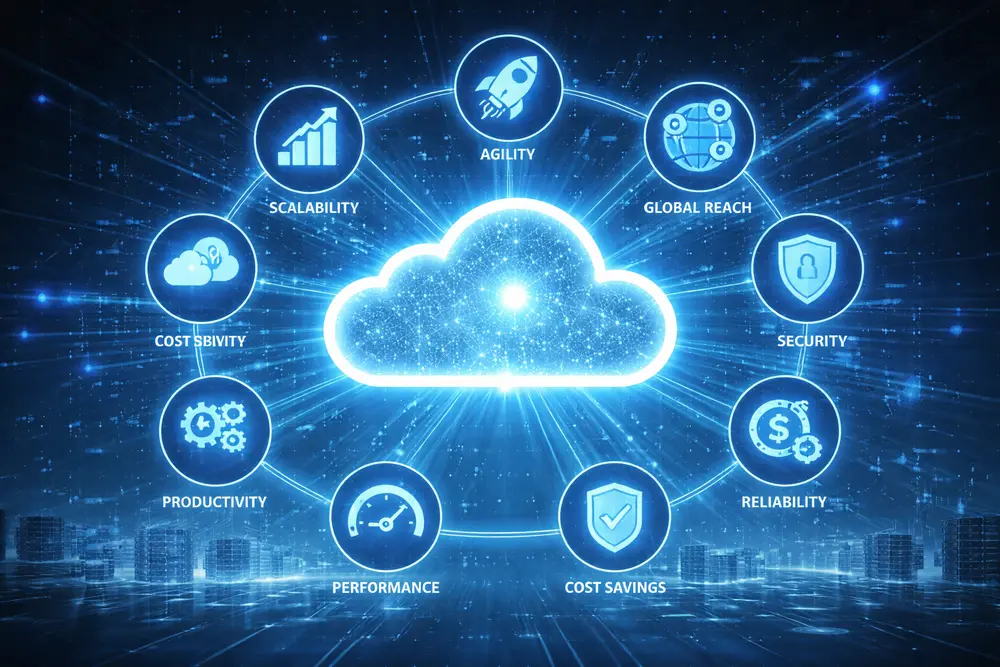
8 Key Benefits of Cloud Computing
The advantages of cloud computing are well established, but they are not all the same. Some benefits relate to cost, some to speed, some to resilience, and some to control. AWS and Microsoft both emphasise agility, elasticity, cost management, global reach, productivity, performance, reliability, and security as central reasons organisations move workloads away from solely on-premise systems. That variety matters. Cloud computing offers both technical and commercial value, which is why moving to the cloud is often treated as an operational decision rather than only an IT one. The benefit from cloud investment usually appears across several areas at once.
1. Agility
Agility in the cloud means being able to access tools and services fast, test ideas quickly, and adjust without waiting through long procurement cycles. AWS and Microsoft explain that cloud systems let organisations provision infrastructure services, databases, analytics, machine learning, and more in minutes rather than over extended timelines. That changes the pace of work. Teams can try, refine, and deploy faster. A cloud provider handles much of the heavy setup, so attention shifts towards use and improvement. For organisations under pressure to respond quickly, agility is often one of the most persuasive reasons for cloud adoption in the first place.
2. Elasticity
Elasticity means scaling resources up or down according to actual need rather than guessing future demand and overbuying hardware in advance. AWS and Microsoft describe this as provisioning only the amount required, then adjusting as business needs change. Simple idea. Big effect. It helps avoid waste, improves responsiveness, and supports environments where traffic or workload levels can move unpredictably. This is especially useful where applications face seasonal spikes, rapid growth, or testing cycles. Instead of locking money into fixed hardware, organisations can deliver computing resources when required and reduce them again when pressure eases.
3. Cost savings
Cost savings in cloud computing usually come from shifting away from large upfront capital spending towards variable use-based spending. Microsoft notes that organisations can avoid the expense of buying hardware, setting up onsite datacentres, paying for constant power and cooling, and carrying the labour burden of ongoing infrastructure management. It adds up. That does not mean every cloud bill is automatically low, but it does mean costs can align more closely with actual use. For many organisations, that makes planning easier, reduces waste, and supports cloud migration without demanding the same physical footprint as traditional estates.
4. Deploy globally in minutes
Global deployment is one of the clearest differences between cloud and traditional infrastructure. Microsoft and AWS explain that organisations can expand into new geographic regions and deploy applications in multiple physical locations quickly, often with only a few steps. That speed matters. It supports international users, reduces latency, and improves service quality by placing applications closer to end users. A major cloud network can make global reach operationally realistic even for businesses without their own worldwide estate. Instead of building site by site, they can use cloud resources already present across regions and activate what they need far more quickly.
5. Productivity
Productivity improves when internal staff are not spending large portions of time on routine infrastructure tasks. Microsoft highlights the burden of hardware setup, patching, and ongoing data centre chores in traditional environments, then contrasts that with cloud services that remove much of that manual work. That shift is practical. It gives technical staff more room for improvement, problem solving, and higher-value priorities rather than basic upkeep. Cloud providers offer managed layers that reduce repetitive maintenance, which means organisations can focus less on keeping the lights on and more on delivery, user experience, and internal efficiency across critical systems.
6. Performance
Performance in cloud computing is shaped by scale, hardware quality, and location. Microsoft notes that major platforms run on worldwide networks of secure data centres that are regularly upgraded with fast, efficient computing hardware. That gives an advantage over one isolated corporate site. Applications can respond faster, latency can fall, and capacity can be accessed nearer to users when needed. Strong performance is not just about raw speed either. It includes consistency, resilience, and the ability to support demanding workloads without the same limitations that often affect ageing on-premises systems and fixed compute capacity.
7. Reliability
Reliability is one of the reasons cloud adoption keeps expanding. Microsoft explains that cloud computing can make backup, disaster recovery, and business continuity easier and often less expensive because data may be mirrored across redundant sites on the provider’s network. That built-in spread matters. It reduces dependence on one physical location and can strengthen recovery options when systems fail. Of course, architecture still matters. Not every service is automatically resilient. But properly planned cloud deployments usually offer stronger continuity options than a single-site environment, especially where organisations need dependable access to applications, files, and hosted in the cloud workloads.
8. Security
Security in the cloud is not automatic, but it is a major capability. Microsoft states that many cloud providers offer policies, technologies, and controls that strengthen overall protection for data, apps, and infrastructure. That forms part of modern cloud security practice. The value lies in shared responsibility: providers secure core platform layers, while customers still manage identities, configurations, access, and data practices. So, cloud is one option for stronger protection, not a shortcut around responsibility. When designed well, a cloud computing service model can support governance, monitoring, resilience, and more consistent security controls than fragmented local environments.
Types of Cloud Computing
The main types of cloud computing are service-based categories that define how much control a customer keeps and how much management the provider takes on. AWS identifies three main types of cloud computing: Infrastructure as a Service, Platform as a Service, and Software as a Service. Microsoft also adds serverless computing as an important category. These are often described as cloud computing service models because each one handles responsibility differently. The right choice depends on technical goals, staffing, risk appetite, and how much of the underlying stack a business wants to manage directly rather than consume as a finished service.
Infrastructure as a Service (IaaS)
Infrastructure as a Service gives access to core computing resources like servers, storage, and networking without requiring full ownership of the physical estate. AWS describes IaaS as the basic building blocks for cloud IT, offering high flexibility and strong management control. It sits closest to traditional infrastructure. You still shape the environment, but the cloud provider handles the physical layer. That makes it useful for organisations that want control without carrying every hardware burden. In practical terms, IaaS supports cloud infrastructure choices where businesses need virtual machines, storage, network configuration, and adaptable foundations for broader applications to the cloud.
Platform as a Service (PaaS)
Platform as a Service removes more operational burden. AWS explains that PaaS reduces the need to manage hardware and operating systems, allowing users to focus on deployment and application management instead. That shift is important. It shortens the path between development and use. A cloud provider handles platform layers, maintenance, patching, and capacity concerns that would otherwise consume time internally. For many organisations, that makes a cloud platform more attractive than lower-level infrastructure alone. PaaS is often chosen when speed matters, when teams want less friction, and when modern cloud delivery needs to support rapid application work without constant system administration.
Software as a Service (SaaS)
Software as a Service is the most familiar model for many users because it delivers a finished application rather than raw infrastructure or development tooling. AWS notes that SaaS provides a complete product run and managed by the service provider, often in the form of end-user tools such as web-based email. That is why it feels simple. Users open the service and use it. They do not manage servers or core maintenance. SaaS suits organisations that want quick access to applications and services with minimal setup, especially where the priority is usability, standardisation, and broad access rather than custom platform control.
Serverless computing
Serverless computing overlaps with PaaS but goes further in reducing operational management. Microsoft explains that serverless computing focuses on building app functionality without continual time spent managing servers and infrastructure, while the provider handles setup, capacity planning, and server management. That is the appeal. Resources are used when a trigger or function occurs, which makes serverless architectures highly scalable and event-driven. It suits workloads that do not need permanent server attention. For some organisations, serverless computing offers a cleaner path to efficient delivery of computing, especially when rapid development, automation, and cost control need to sit together in one model.
Understanding Different Cloud Deployment Models
Service types describe what you consume. Deployment models describe where and how it runs. Microsoft explains that organisations usually choose between public cloud, private cloud, or hybrid cloud when deciding how to implement cloud services. Each cloud model carries different levels of control, isolation, flexibility, and shared infrastructure. That decision matters. It shapes governance, performance expectations, and how data moves. Some organisations choose one cloud. Others use multiple cloud providers or connect on-premises environments with external platforms. The best fit depends on regulation, existing systems, workload sensitivity, budget, and how widely the organisation wants to distribute or centralise its computing infrastructure.
Public cloud
A public cloud is owned and operated by third-party cloud service providers that deliver computing resources like servers and storage over the internet. Microsoft notes that the provider owns and manages the supporting infrastructure, while customers access services through web-based interfaces. This is the most widely recognised category of cloud for many users. Public cloud services can offer speed, scale, and broad access without requiring private ownership of hardware. Services from aws, google cloud, and oracle cloud are prominent examples. Public cloud works well where flexibility and reach matter more than exclusive physical separation of resources.
Private cloud
A private cloud is usually designed for one organisation rather than a shared public environment. IBM notes that it is often hosted on-premises in the customer’s own data centre, though it can also sit on an independent provider’s infrastructure or in an offsite facility. That distinction matters. Private cloud is often chosen where data sensitivity, control, or regulatory requirements are higher. It can still reflect modern cloud design, but with more isolation. For some organisations, a private cloud feels like the safer route. For others, it is one part of broader public and private cloud models rather than the whole strategy.
Hybrid cloud
A hybrid cloud combines public cloud, private cloud, and often on-premises systems into one more flexible operating environment. IBM explains that hybrid cloud architecture has expanded beyond simple connectivity and can support portability and automated deployment of workloads across multiple environments. That is where its value sits. The hybrid cloud model allows organisations to place the right workloads in the right place, balancing speed, cost, and control. It also supports cloud migration more gradually. Rather than moving everything at once, businesses can shift services in stages and keep sensitive functions where they believe they fit best.
Multicloud
Multicloud refers to using two or more cloud environments, often from different providers, for different workloads or business needs. IBM describes the modern hybrid multicloud approach as common in enterprise settings because it offers flexibility, performance choice, and cost optimisation. That approach is growing for a reason. Organisations may use multiple cloud arrangements to avoid overdependence, support specific services, or match workloads to the strengths of different vendors. In practice, multiple cloud planning can be useful, but it also adds management complexity. To use multiple cloud providers well, organisations need clarity around governance, integration, security, and workload placement.
Real-Life Examples of Cloud Computing
Real-life uses of cloud computing are everywhere, though they rarely present themselves as technical case studies. Streaming platforms, online storage, video conferencing, collaborative documents, browser-based email, remote desktops, and digital payment systems all rely on hosted infrastructure and services over the internet. That is why the idea matters beyond IT departments. Many uses of cloud technology are woven into routines people no longer question. Businesses depend on it for continuity. Consumers depend on it for convenience. Once you start looking closely, you can see that cloud computing include both everyday tools and larger business capabilities operating behind the scenes of ordinary digital life.
Streaming services and everyday apps
Streaming services and everyday apps are strong examples of how the cloud supports scale behind simple user experiences. IBM points to Netflix, cloud-hosted gaming, and Google Gmail as familiar cases where users access content or software without managing local infrastructure. That smoothness hides complexity. Providers deliver content, sync sessions, and handle large volumes of users through remote systems rather than each person’s own device alone. For the user, it feels immediate. Behind that, cloud providers typically coordinate storage, network delivery, and compute in ways that let these services respond to millions of requests without collapsing under demand.
Cloud storage platforms
Cloud storage platforms show the cloud at its most practical. Files are saved remotely, synced across devices, shared with others, and often backed up automatically, which makes personal and business work more portable. That portability matters. It means data is not trapped on one laptop or one office machine. Instead, information can stay available wherever authorised users need it. This is one of the clearest examples of delivery of computing resources in daily life. It also shows how cloud providers host and manage infrastructure that most users never see, while still giving them accessible, flexible tools for storage, sharing, and continuity.
Business tools and remote working solutions
Business tools and remote working solutions depend heavily on cloud delivery because staff need access from different places, on different devices, often at the same time. IBM notes that cloud computing supports remote work by making data and applications accessible from anywhere, while also enabling collaboration and broader digital operations. That is now standard. Communication platforms, document suites, CRM systems, ticketing tools, and workflow software often operate as remote services rather than local installations. This makes moving to the cloud attractive for organisations trying to keep people productive, connected, and able to work without being tied to one building or device.
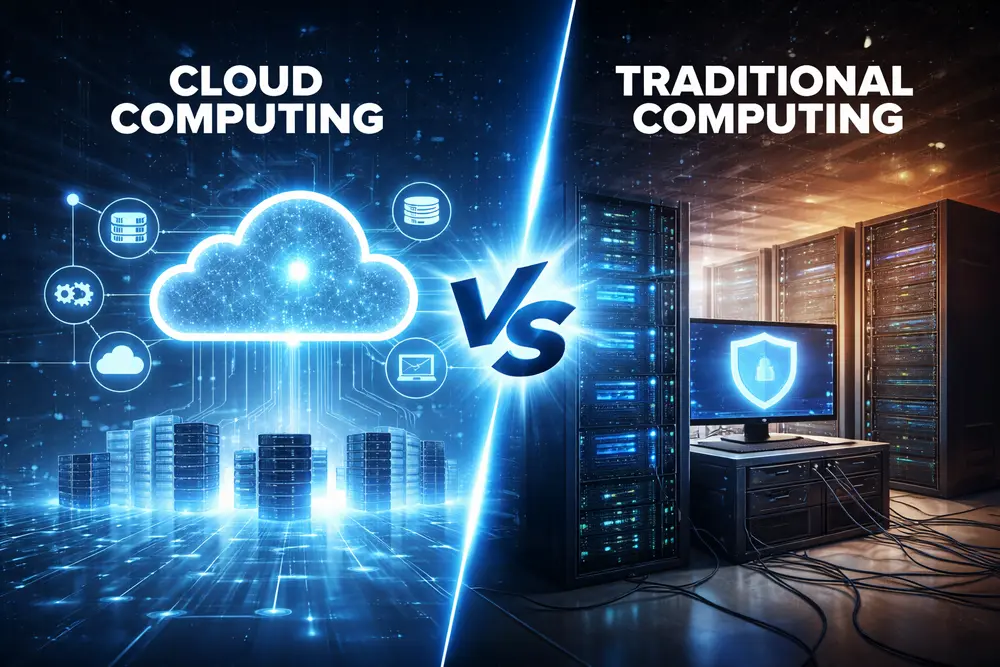
Cloud Computing vs Traditional Computing
Cloud computing and traditional computing differ mainly in where infrastructure sits, who manages it, and how costs and capacity are handled. Traditional models depend more heavily on local hardware, internal maintenance, and fixed planning. Cloud-based models rely on remote platforms that can be accessed on demand and expanded or reduced more easily. That distinction affects speed, resilience, and budgeting. The cloud computing model usually offers more flexibility, while on-premises systems can provide direct physical control. Neither is universally perfect. The more useful comparison looks at workload needs, security requirements, internal expertise, and whether fixed ownership still makes sense.
How things worked before the cloud?
Before widespread cloud adoption, organisations generally bought and maintained their own servers, storage, networking gear, and software environments on-site. That meant planning ahead, purchasing hardware for expected future demand, and spending time on installation, patching, cooling, power, upgrades, and replacement cycles. It was slower. It was heavier. If demand rose suddenly, compute capacity could not always expand quickly. If systems failed, recovery depended on what the organisation had already built for itself. The pre-cloud model gave direct ownership, but it also tied technology progress to procurement cycles, available space, staffing levels, and the limits of in-house computing infrastructure.
Key differences in setup and maintenance
The biggest difference in setup and maintenance is responsibility. In traditional environments, internal teams handle hardware acquisition, installation, configuration, and long-term upkeep. In cloud environments, much of that burden moves outward because the cloud provider handles core infrastructure layers and makes services available on demand. That shift affects time, staffing, and planning. It also changes risk distribution. Some responsibility stays with the customer, especially around access control, data handling, and configuration, but the physical estate and much of the foundational platform are no longer managed the same way. That is one reason cloud computing is the on-demand model many organisations now prefer.
Pros and cons of each approach
Traditional computing offers direct ownership, predictable local control, and in some cases easier handling of niche legacy systems. Cloud computing offers flexibility, speed, scale, and reduced need for physical infrastructure management. But neither side is flawless. Cloud can introduce dependency on connectivity, provider pricing models, and architecture decisions that need careful governance. Traditional environments can offer familiarity, yet often involve slower change, higher capital expense, and more internal maintenance. The real question is not which is perfect. It is which computing model fits a given workload, risk profile, and operational reality. Different types of cloud and on-premises systems can also coexist.
Common Misconceptions About Cloud Computing
Cloud computing is widely used, yet still misunderstood. Some assume it is not physical, others assume it is always cheaper, and some still think it is only relevant to large companies. Those ideas persist because the word sounds abstract and the marketing can flatten nuance. The reality is more grounded. Cloud systems run in real facilities, costs vary by design and usage, and businesses of many sizes can benefit from cloud adoption. What matters is understanding the actual cloud computing architecture, the service type, the deployment model, and the responsibilities that remain with the customer even when external platforms are involved.
“The cloud is not physical” myth
The idea that the cloud is not physical is one of the easiest myths to dismiss. IBM explains that cloud services rely on remote servers and large data centres, while AWS and Microsoft describe real infrastructure delivering storage, networking, and compute over the internet. So yes, the cloud is physical. Very much so. The difference is location and management, not existence. Users do not usually see the hardware, which creates the illusion of something abstract. In practice, the cloud provider’s estate is simply elsewhere, professionally operated, and exposed to customers as a service rather than as equipment they personally own.
“Cloud is always cheaper” assumption
Cloud is not always cheaper in every case. Microsoft and AWS both explain how cloud can reduce capital spending and align costs with actual usage, but that is not the same as promising universal savings. Design matters. Governance matters. Poorly managed environments can grow expensive, especially when resources are left running, data transfer is overlooked, or architecture becomes inefficient. Some workloads still suit local hosting better. The better assumption is this: cloud computing offers cost flexibility and potential efficiencies, but value depends on planning, workload design, and how carefully organisations manage what they consume over time.
“It’s only for large companies” belief
The belief that cloud is only for large companies is outdated. AWS states that organisations of every type, size, and industry use the cloud for a wide range of needs, from backup and email to software testing and analytics. That is the key point. Scale helps, but it is not a barrier to entry. Smaller organisations often adopt cloud tools precisely because they cannot justify building large local estates. Public services, start-ups, and mid-sized firms can all benefit from cloud options that would have been difficult or unaffordable to build alone in earlier computing models.
What Are the Limitations of Cloud Computing?
Cloud computing has clear strengths, but it also has limitations that need honest consideration. Connectivity matters. Data governance still matters. Providers can suffer outages, pricing can become complex, and not every workload fits neatly into a remote model. This is where good judgement becomes important. Organisations should not assume that cloud solves everything by default. They need to assess operational needs, compliance demands, architecture choices, and provider contracts with care. The practical view is better than the romantic one. Cloud computing can be highly effective, but only when organisations understand its trade-offs as well as its benefits and build with those realities in mind.
Internet dependency
Internet dependency is one of the simplest limitations of cloud use. If access to remote systems depends on connectivity, then poor or disrupted internet access can interrupt work, data access, and service delivery. That does not make cloud weak. It makes connectivity critical. In local environments, some functions may still continue even when external links fail. In cloud-based environments, that is less often the case unless strong redundancy has been planned. So while computing is the on-demand delivery of remote resources, that convenience depends on networks staying available, fast enough, and resilient enough to support the workloads involved.
Data privacy considerations
Data privacy considerations remain central in any cloud strategy because moving information off-site does not remove accountability for how it is handled. Providers may offer strong controls, but organisations still need to understand where data sits, who can access it, how it is encrypted, and which regulatory obligations apply. This is particularly important for sensitive information. That is one reason some organisations choose private cloud or hybrid structures for certain workloads. The issue is not whether cloud can support privacy. It can. The issue is whether the chosen design, contract, and operating model genuinely match the organisation’s legal and practical requirements.
Potential downtime and outages
Potential downtime and outages are still possible in the cloud, even though providers build for resilience. Large-scale infrastructure can reduce risk, mirror data, and support stronger continuity than a single-site environment, but no platform is invulnerable. Incidents happen. Regional failures happen. Misconfigurations happen too. That is why reliability depends not only on the provider but also on architecture decisions made by the customer. Workloads spread across regions or services may withstand disruption better than narrowly designed systems. So the lesson is straightforward: cloud can improve resilience, but it does not remove the need for planning, testing, and recovery design.
The Future of Cloud Computing
The future of cloud computing points towards more distributed processing, deeper automation, and tighter links between data, software, and intelligence. IBM highlights the role of cloud in supporting AI-powered platforms and modern business applications, while current market direction shows ongoing demand for scalable, connected digital systems. That direction feels steady. The cloud is now part of core business design, not a side concept. As digital services expand, organisations will keep refining where workloads run, how data moves, and how different cloud infrastructures support speed, resilience, compliance, and innovation across increasingly complex environments shaped by automation and changing user expectations.
AI and cloud integration
AI and cloud integration are increasingly connected because advanced models, analytics, and automation often require significant processing power, data access, and scalable infrastructure. IBM notes that cloud platforms can provide the vast resources needed for technologies such as generative AI, while AWS also presents AI and machine learning as part of cloud service capability. That relationship will only deepen. Cloud makes advanced computing more reachable without forcing every organisation to build specialist estates from the ground up. As AI use expands, cloud will remain a practical route for accessing the compute, data tooling, and flexible environments these systems demand.
Edge computing and faster processing
Edge computing supports faster processing by handling some tasks closer to where data is produced rather than sending everything back to a distant central environment. That can reduce delay and improve responsiveness, especially for time-sensitive applications. It does not replace cloud. It complements it. In practice, edge approaches often work alongside cloud services so organisations can keep central scale while bringing selected processing nearer to devices, users, or operational sites. As demands for speed rise, this combination will matter more. It reflects the broader evolution of modern cloud thinking: not one location for everything, but smarter placement of workloads across connected environments.
The role of cloud in digital transformation
Cloud plays a central role in digital transformation because it gives organisations a more flexible base for change. AWS links cloud migration with modernisation and lower operational costs, while IBM connects cloud with remote work, customer engagement, and access to advanced technologies. That is the real significance. Cloud is not just another hosting option. It helps organisations rework how services are delivered, how staff collaborate, and how new tools are introduced. The strongest outcomes usually come when cloud adoption supports broader business priorities rather than acting as a purely technical refresh with no operational redesign around it.
FAQ
How is cloud computing used in everyday life without people noticing?
Cloud appears in ordinary routines more than most people realise. Streaming, webmail, file syncing, online documents, app backups, and browser-based tools all rely on remote services rather than one local device. People may not name it, but they already use cloud systems constantly through familiar digital habits and connected applications.
Can cloud computing reduce environmental impact?
It can, though results depend on design and use. Large providers often run efficient data centres at scale, which may reduce waste compared with fragmented local infrastructure. Still, environmental impact is not erased automatically. Efficiency gains come from better resource use, smarter architecture, and avoiding unnecessary over provisioning or poorly managed consumption.
What happens to my data if a cloud provider shuts down?
That depends on your contract, architecture, backups, and exit planning. Responsible cloud use includes understanding portability, retention, and recovery options before committing. Data should not rely on hope. Organisations need backup strategies, export paths, and contingency planning so a provider issue does not become a business-ending event.
How much does cloud computing cost?
Cloud computing costs vary. Quite a bit. Most providers use a pay-as-you-go model. This means you pay only for the resources you actually use. You have no fixed upfront costs. Pricing depends on storage, computing power, data transfer, and usage patterns. So, controlled well, it stays efficient. Left unmanaged, it grows quickly.